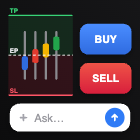
Draw the trade
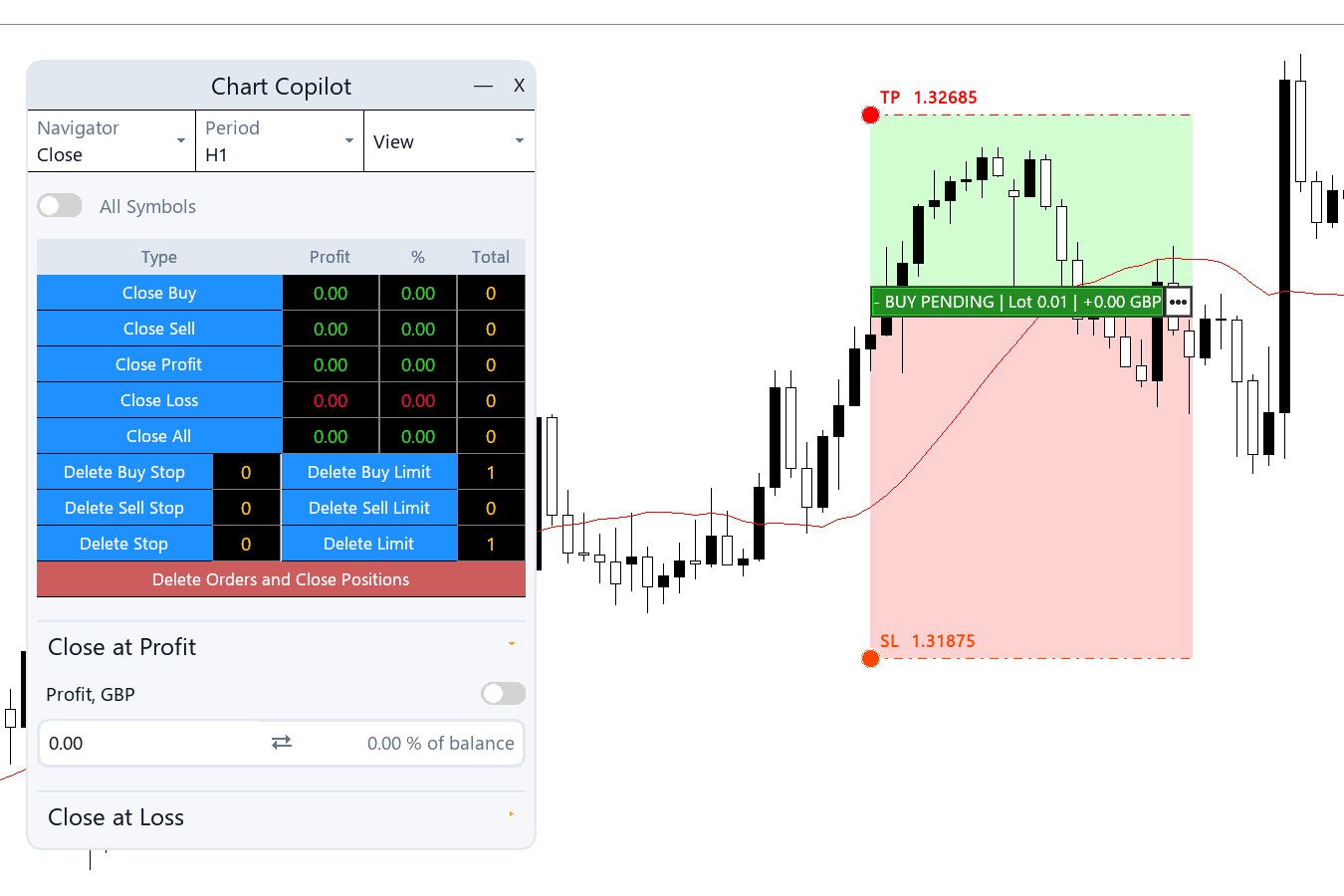
Flip on the line selector and drag your entry, stop and target straight onto the chart — or type them in points, price or account currency.
Expert advisor · MetaTrader 5 · on-chart AI
Chart Copilot pairs a precision trade panel with an AI assistant, drawn straight onto your MT5 chart. Place orders, size by risk, trail stops, build alerts — by hand, or by asking.
Trade management
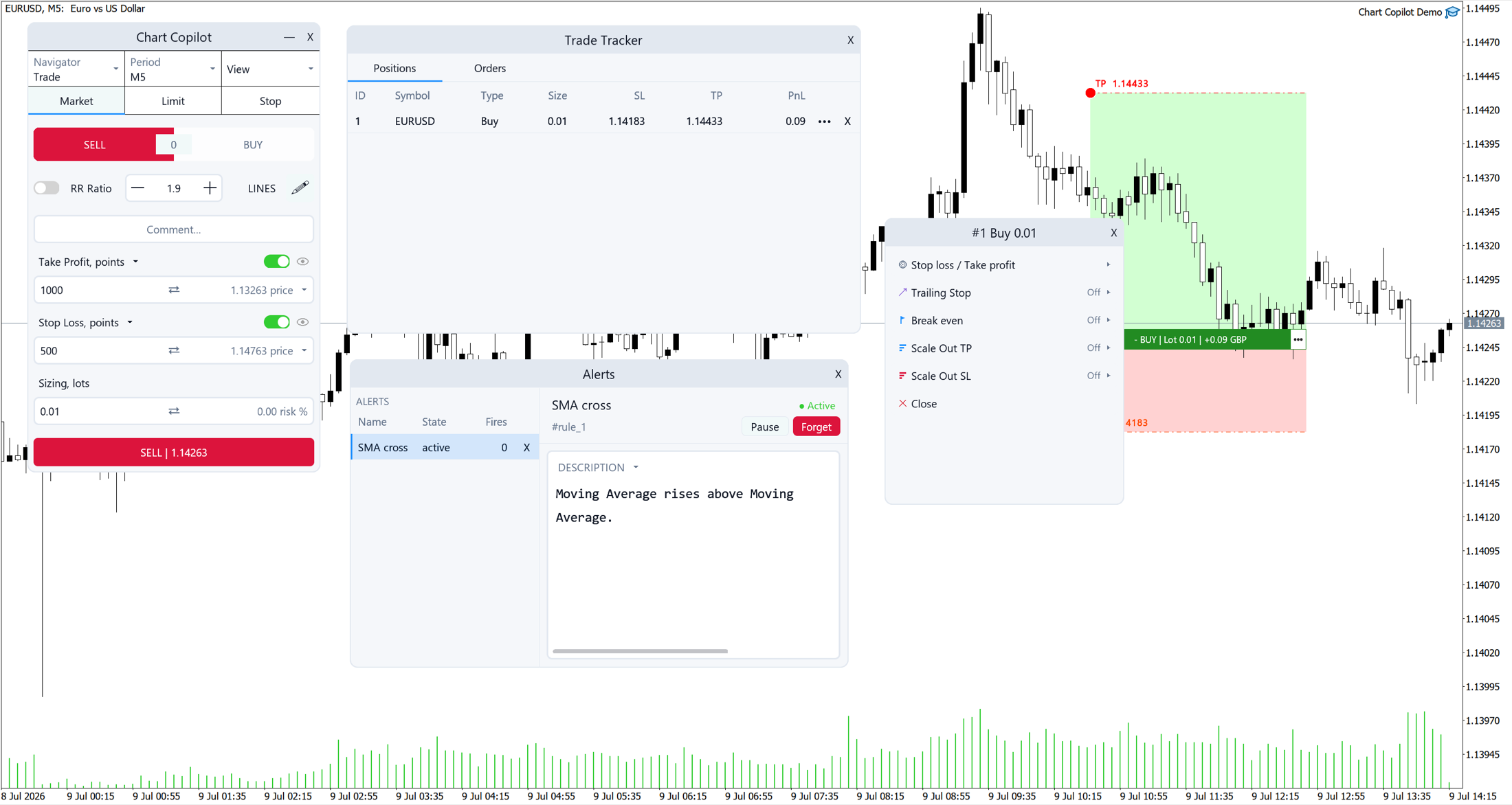
Market and pending orders with the full management toolkit — each card below is a real control in the panel.
Flip on the line selector and drag your entry, stop and target straight onto the chart — or type them in points, price or account currency.
Fix the share of balance you're willing to lose and the lot size recalculates from your stop distance automatically.
Enable virtual stop loss and take profit before you place the order — Chart Copilot holds the levels and executes them for you.
Move to break even and lock in profit once price reaches your trigger, then trail the stop in points or currency.
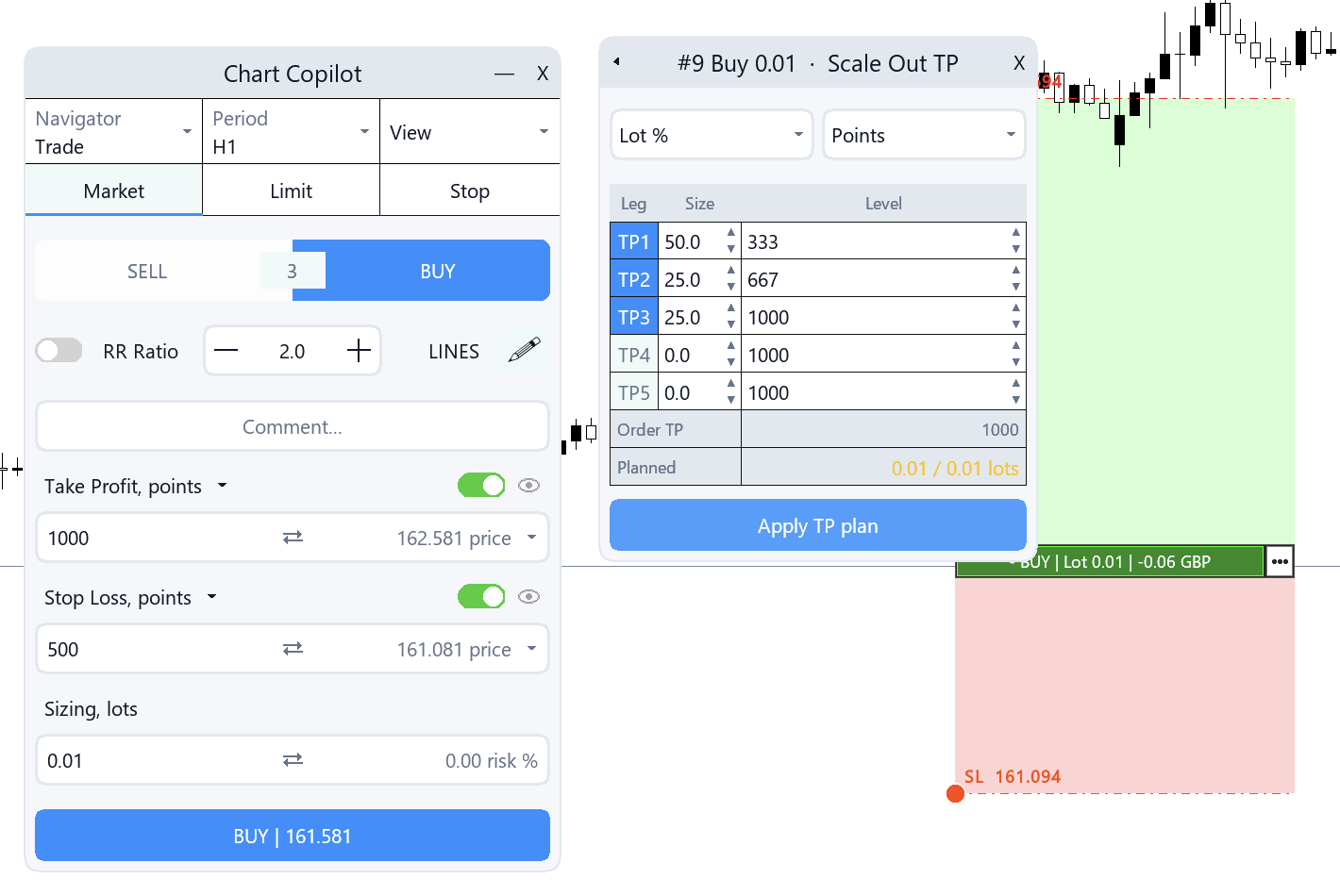
Split your take profit or stop across up to five legs by lot percentage or fixed size, and close positions by parts.
Close winners, losers or everything; delete pending orders in bulk; auto-close the book when a set profit or drawdown is hit.
Build indicator conditions — a moving-average cross, price through a level — and track every rule and every fire in one place.
Profit factor, win rates and profit per day, month and year — filterable by symbol and by expert, right in the panel.
The copilot
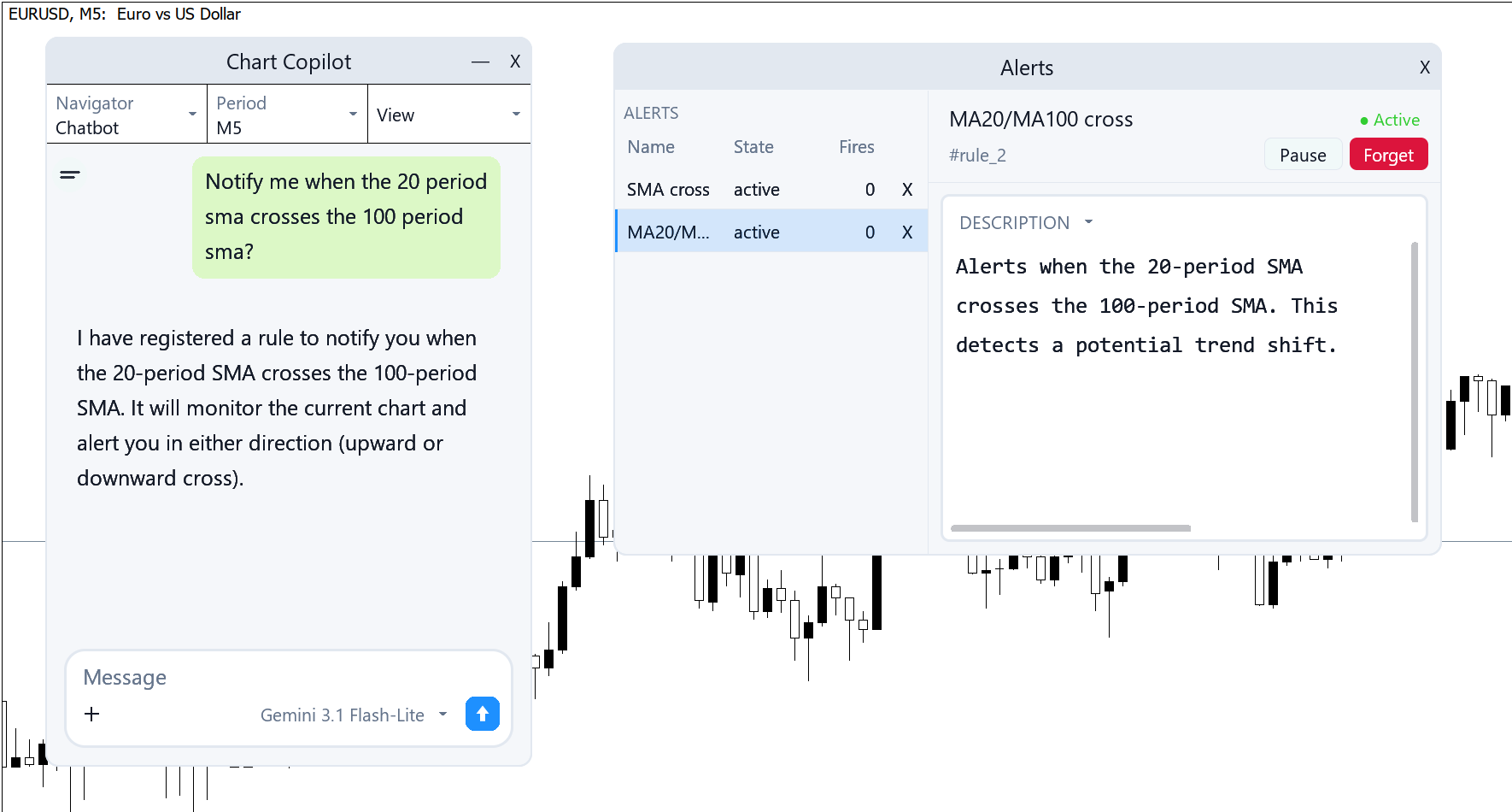
The chat window is part of the EA. Ask in plain language and the assistant works with your real chart, your real positions and your real history.
See it work
Straight from a live MT5 terminal — no cuts, no mockups.
Getting started
Get Chart Copilot from the MQL5 Market and attach it to any chart. Trying the free demo instead? Copy it into File → Open Data Folder → MQL5 → Experts, then refresh Expert Advisors in the Navigator.
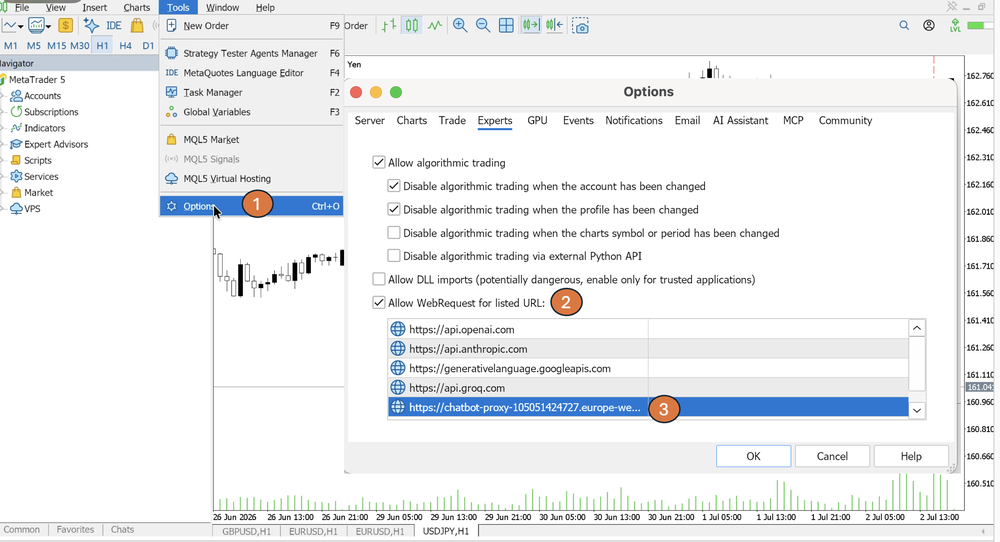
In Tools → Options → Expert Advisors, tick “Allow WebRequest for listed URL” and add the default Chart Copilot address: chatbot-proxy-105051424727.europe-west4.run.app. It works out of the box — no API key needed. Without it, the assistant can't connect.
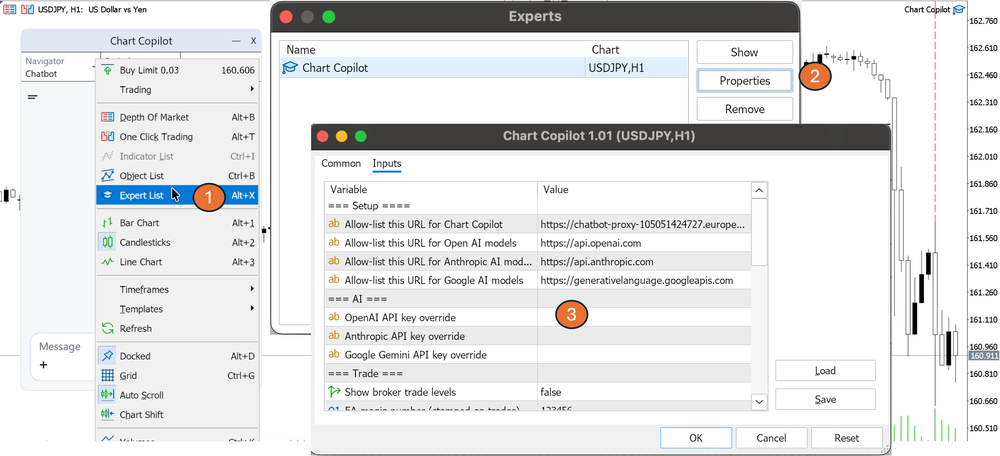
Prefer to connect straight to OpenAI, Anthropic or Google? Whitelist that provider's URL too and paste your API key into the EA settings. Only add the providers you plan to use.
Performance tip: the bundled Async Worker EA can run on a spare chart to handle model requests, keeping your main chart perfectly smooth. Entirely optional — everything works on a single chart.
Questions
Chart Copilot supports the latest OpenAI, Anthropic Claude and Google Gemini models. You choose the provider and can switch models right from the chat window's model picker.
No. It acts on your instructions: it places, edits or closes trades when you ask, and runs the alert and automation rules you explicitly set up. Nothing fires that you didn't create.
Levels held by the EA on your terminal instead of at the broker, so they stay invisible until they're hit — then Chart Copilot closes the trade for you. Your terminal needs to stay running for virtual levels to execute.
No. Once the WebRequest URL is allowed, the default Chart Copilot connection works out of the box — no key required. If you'd rather connect directly with your own OpenAI, Anthropic or Google Gemini key, whitelist that provider's URL and paste the key into the EA settings.
No. The panel — orders, risk sizing, break even, trailing, scale-outs, bulk operations, alerts, statistics — is fully self-contained. The assistant is an optional layer on top.
A request runs on the chart's own thread, so you might notice a brief pause while a reply is in flight. The bundled Async Worker EA is an optional fix: attach it to a spare chart and Chart Copilot routes its requests through it automatically, keeping your main chart smooth.
Yes. Download the free Chart Copilot Demo, copy it into MQL5 → Experts via File → Open Data Folder, refresh Expert Advisors, and drop it on a chart.
Chart Copilot is available now on the MQL5 Market — or start with the free demo.